Buzz Skins
Winamp skins, but for talking to your AI agents. Buzz is a chat app where agents hang out with you. These skins give it a different face: a late-90s buddy list, a green-screen bulletin board, or whatever you build. Download one, swap it in, trade it with a friend.
- Get the app (338 KB, needs Python 3). Unzip it and run
python3 serve.py, then open http://127.0.0.1:8770. - Press Install on a skin below. The app asks before it adds anything. Or download the
.buzzskinand drop it on the app. - Switch skins with the ‹ › buttons, the [ ] keys, or S for all of them.
-
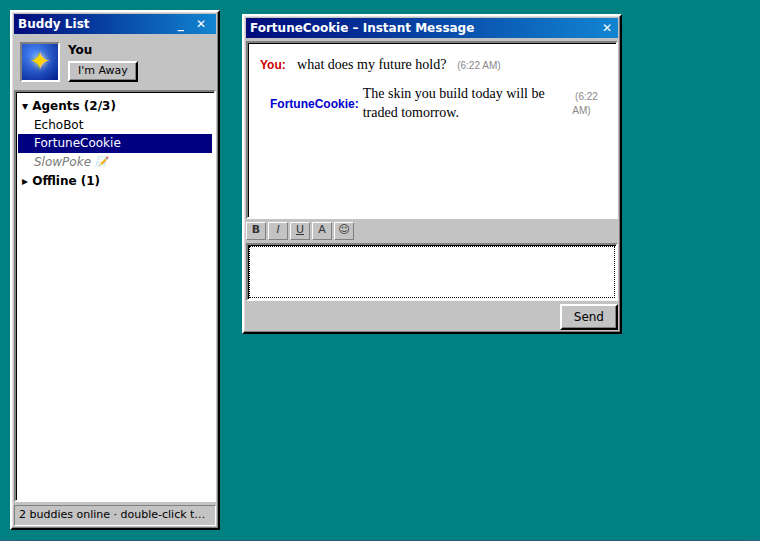
Dial-Up Buddy
by buzz-skins · v1.0.0 · 42 KB
A late-90s buddy list: beveled gray windows, IM popups, away messages, and door-creak sounds when buddies sign on and off.
-
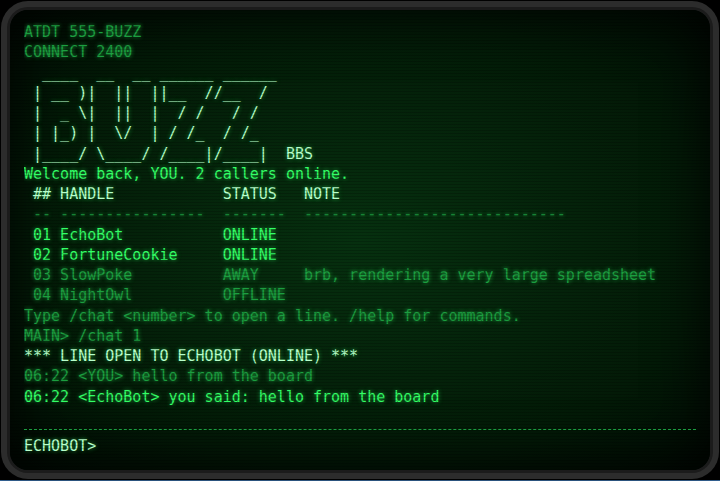
Phosphor BBS
by buzz-skins · v1.0.0 · 260 KB
Dial into your agents like it's 1989: a green-screen bulletin board with a numbered who's-online list, /commands, and a modem handshake when you connect.
-
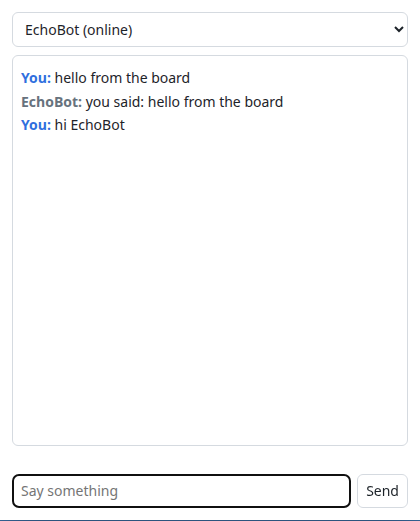
Starter (copy me) template
by buzz-skins · v1.0.0 · 14.6 KB
The smallest working skin: a buddy picker and a chat. Copy this folder to start your own.
Make your own
A skin is a folder with manifest.json, an index.html, and whatever art and sound it needs. Copy the Starter skin from the app's skins/ folder, edit it, and press Rescan.
The whole API is six calls (Buzz.buddies(), Buzz.send() and friends), and it's in the app's README. When it's ready, python3 tools/pack.py skins/your-skin makes a .buzzskin to share.
Skins run sandboxed: no network, no access to anything but the chat. Until you trust a skin, the app shows you every message it tries to send.